← Tous les skills
Vidéo produit
Vos photos et arguments, dans l'ordre qui compte pour l'acheteur.
Vidéo produit : ses films d'exemple et ses styles →
Comment ça marche
- 1Copiez le prompt d'installation et collez-le dans votre agent.
- 2Votre agent lance mo doctor pour vérifier Node.js, FFmpeg et Chrome, et vous dit comment installer ce qui manque.
- 3Donnez-lui vos contenus. Il génère un MP4 sur votre ordinateur, et vous demandez des modifications avec vos mots.
Collez-le dans Claude Code, Codex, Cursor ou tout agent compatible avec les skills.
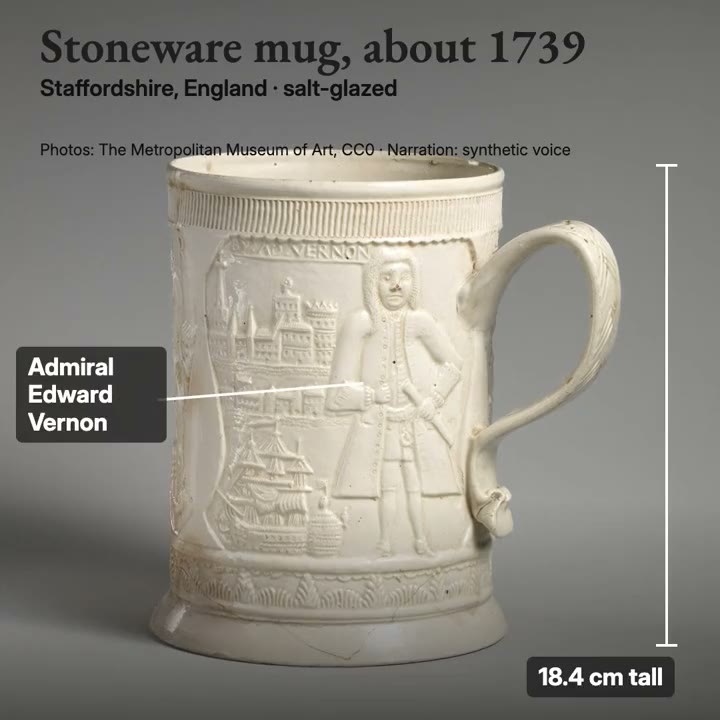
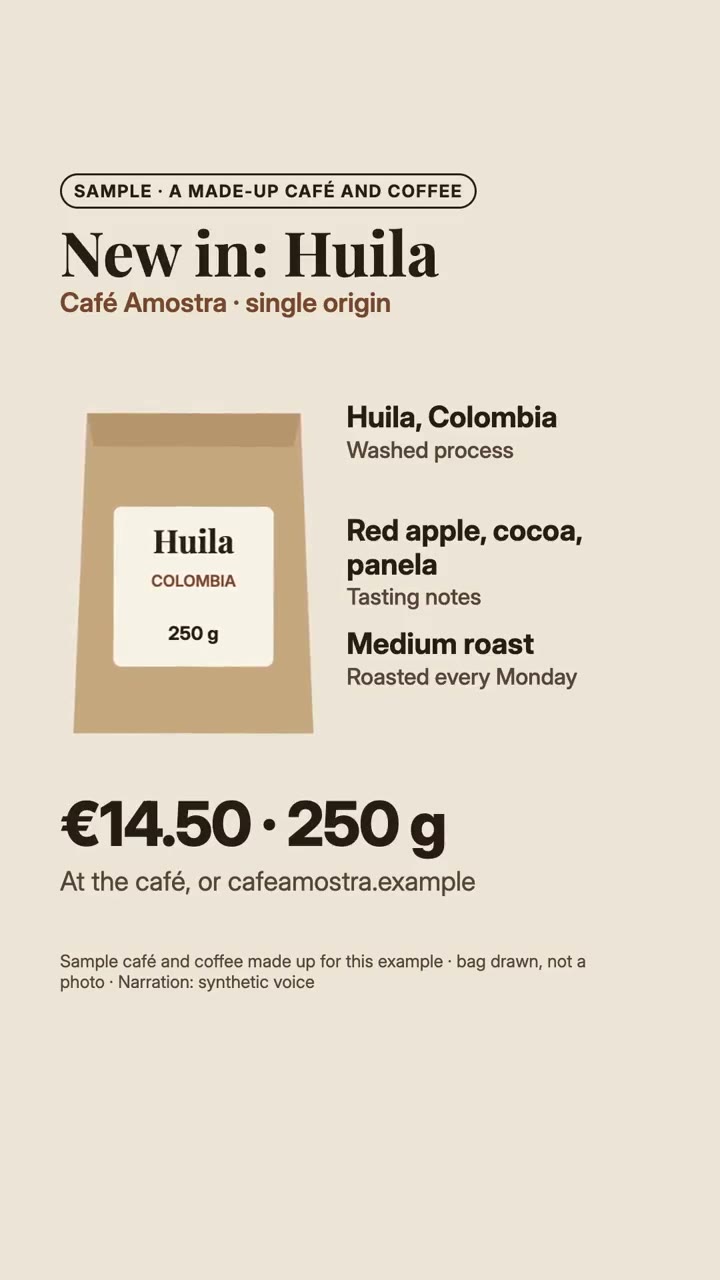
Films qu'il a réalisés
Ce qu'il vous faut
Aucune clé APIC'est tout ce qu'il faut
- Des photos et images
Dépendances
Node.js 22+, FFmpeg, Chrome. Aucune clé API.
Avant de commencer, votre agent lance mo doctor pour vérifier Node.js, FFmpeg et Chrome et vous dit comment installer ce qui manque ; si ce skill a besoin d'autre chose (comme whisper pour les sous-titres), ses instructions le précisent.
Exemple de prompt
Use the product-director skill to make a square product video of our new mug from the photos in ./photos and ./spec.md.
Prompt de style (Claude Motion ou Opus 5.5)
Make a 20-second [square / vertical] product video from my photos in [folder] and the spec in [file]: what it is in the first 2 seconds, the one reason to want it, the details that decide (with callouts pointing at them), the price with its currency and where to buy, held at the end for [who will watch, e.g. people deciding whether to buy]. Never change how the product looks. Use only the product facts and photos I give below; don't change a word or number. End on the name, price and where to buy, held for 3 seconds.
Rien à installer : collez-le dans Claude Motion (Team ou Enterprise) ou donnez-le à Opus 5.5 pour un style proche. Le résultat change à chaque exécution ; le skill, lui, part de vos propres contenus et fait le rendu sur votre ordinateur.