← Todas las skills
Short vertical
De una idea, un dato o un guion a un short 9:16 que engancha en el primer segundo, con música.
Short vertical: sus vídeos de ejemplo y estilos →
Cómo funciona
- 1Copia el prompt de instalación y pégalo en tu agente.
- 2Tu agente ejecuta mo doctor para comprobar Node.js, FFmpeg y Chrome, y te dice cómo instalar lo que falte.
- 3Dale tu material. Renderiza un MP4 en tu ordenador y le pides los cambios con tus palabras.
Pégalo en Claude Code, Codex, Cursor o cualquier agente compatible con skills.
Vídeos hechos con ella
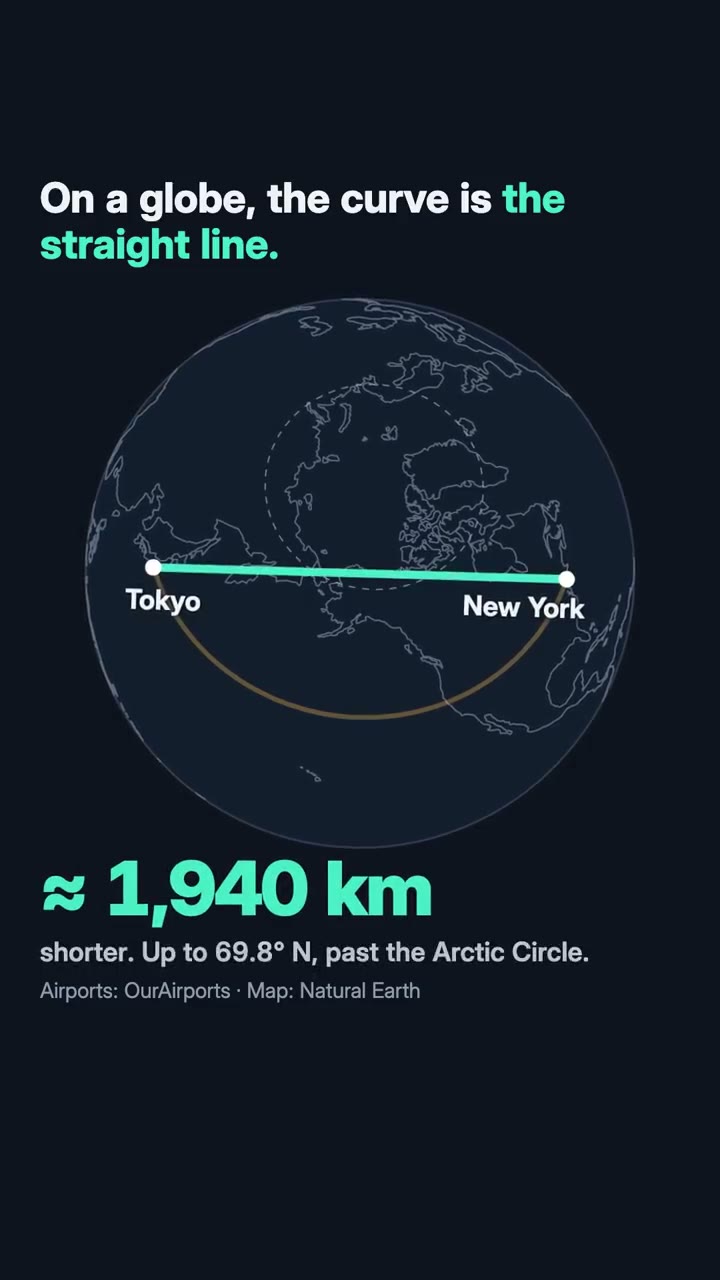
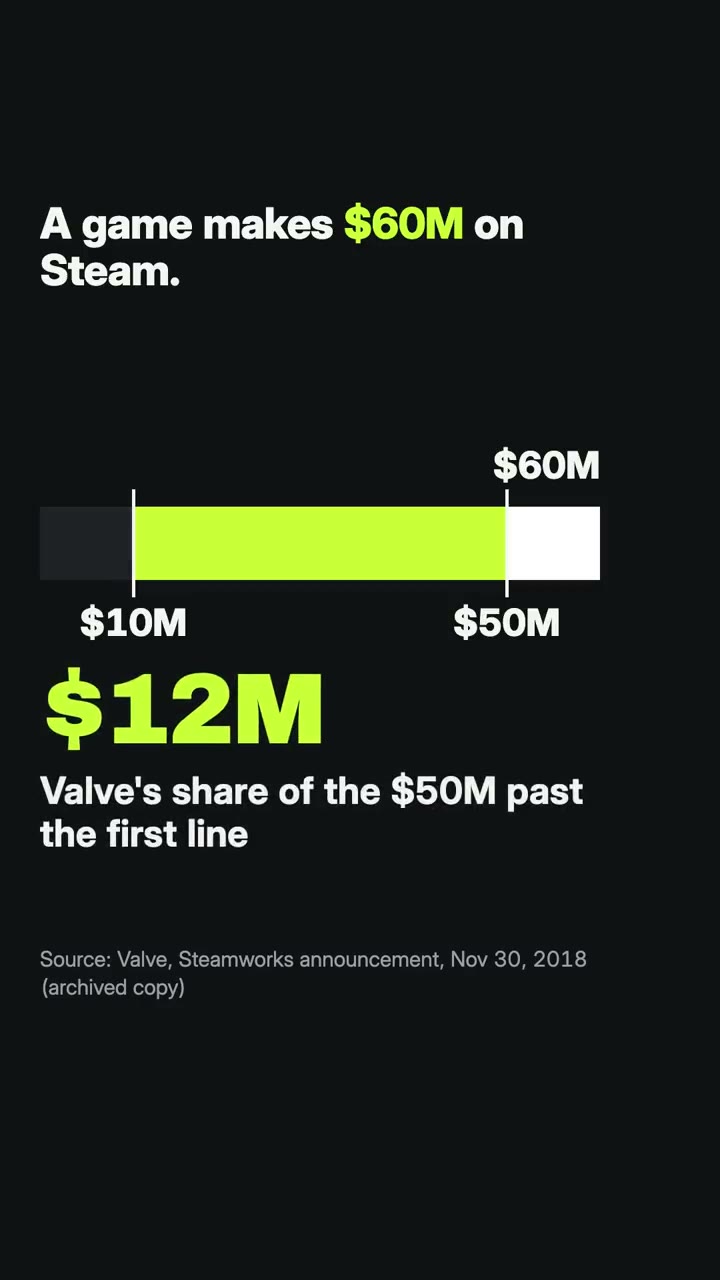
Solo hace falta
Sin clave de APICon uno de estos basta
- Una web o app
- Fotos e imágenes
- Vídeo o una grabación
- Un documento, artículo o guion
Dependencias
Node.js 22+, FFmpeg, Chrome. Sin claves de API.
Antes de empezar, tu agente ejecuta mo doctor para comprobar Node.js, FFmpeg y Chrome y te dice cómo instalar lo que falte; si esta skill necesita algo más (como whisper para los subtítulos), sus instrucciones lo indican.
Prompt de ejemplo
Use the shorts-director skill to make a 25-second vertical short explaining this fact, with its sources on screen.
Prompt de estilo (Claude Motion u Opus 5.5)
Make a 25-second 9:16 short for TikTok, Reels and Shorts about [the one point] for [who will watch, e.g. people scrolling TikTok and Reels]. Open on the question it answers, readable on the first frame. Use only the facts and numbers I give below, with their sources on screen. End on the point in one line, held for 2 seconds.

Show the thing itself (a map, a chart, the numbers), one new line every one to two seconds, every line inside the middle of the frame (clear of the captions and buttons), readable without sound. Land the answer on the music's lift and end on the one sentence, held 2 seconds.

Point: [one sentence]
Facts: [each with its source]
Sin instalar nada: pégalo en Claude Motion (Team o Enterprise) o dáselo a Opus 5.5 para un estilo parecido. El resultado cambia en cada ejecución; la skill trabaja con tu propio material y renderiza en tu ordenador.