Changelog Video
What changed, shown as the real change: the diff, the output, the before and after.
How it works
- 1Copy the install prompt and paste it into your agent.
- 2Your agent runs mo doctor to check Node.js, FFmpeg and Chrome, and tells you how to install anything missing.
- 3Give it your material. It renders an MP4 on your computer, and you ask for changes in plain words.
Paste into Claude Code, Codex, Cursor or any agent that supports skills.
All it takes
No API keyThis is all it needs
- Code, a PR or an agent session
Dependencies
Node.js 22+, FFmpeg, Chrome. No API keys.
Before it starts, your agent runs mo doctor to check Node.js, FFmpeg and Chrome and tells you how to install anything missing; if this skill needs more (such as whisper for captions), its instructions say so.
Make a changelog-video of what changed from v2.3.0 to v2.4.0, from CHANGELOG.md and the tag's commits; show the new --watch flag with its real output and the settings screen before and after, and end on our install command.
Make a 10-second 16:9 release notes video for [who will watch, e.g. our users], playing [where, e.g. in-app and on X]. Use only the version and changes I give below; don't add or reword items. Deep navy background with a faint grid.

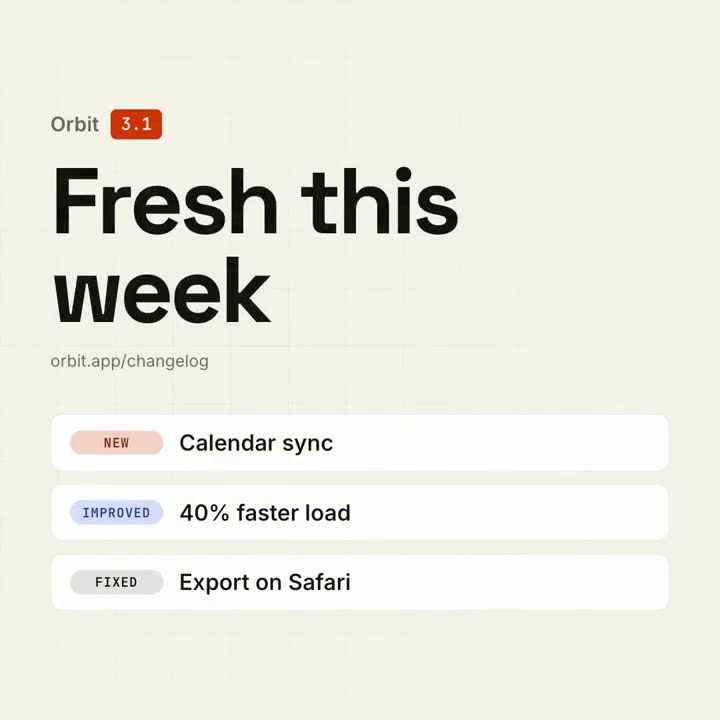
On the left, the product name with a violet version badge pops in above a big bold "What's new" headline that rises letter by letter, with the availability line beneath. On the right, four rounded cards slide in one after another, each with a small colored tag (NEW, IMPROVED, FIXED) and one line of text. End frame: each card's border lights up violet in turn.

Product and version: [e.g. Northwind v2.4]
Availability line: [e.g. "Available today · northwind.dev/changelog"]
Four changes with tags: [e.g. NEW — Brand kits]
Nothing to install: paste this into Claude Motion (Team or Enterprise) or give it to Opus 5.5 for a similar look. The result changes from run to run; the skill works from your own material and renders on your computer.
Questions
How do I turn release notes into a video?
Install Changelog Video and point your agent in Claude Code, Codex or Cursor at CHANGELOG.md, a release's notes, the commits between two tags or a pull request. It shows the changes that matter (breaking changes always, your lead change first if you name one) as the real thing: the diff, the command and its output, or the screen before and after. About 10 seconds shows three changes, 12–18 seconds up to five; the rest are counted on the end card. 16:9, 1:1 or 9:16, with its own music.
Can it show code that people can actually read?
Yes, that is the point of the look. It shows only the lines that changed, at least 56 px on a 16:9 film (36 px on 1:1), with − and + lines and the changed words marked in a real code theme (your docs' theme, or GitHub Light or Dark). Long lines are cut to the part that changed with "…"; the code itself is never rewritten for the film. It replaces the old Code Showcase template.
What if a change has nothing to show?
It shows the change's diff if the code is public, otherwise the changelog entry itself, set large, or it counts the change on the end card. It never draws a chart or a screen that isn't real, and a number or claim your notes don't support ("2× faster", "users love it") stays off the screen; your agent tells you what it left out and what source would allow it.
Is the changelog video skill free?
Changelog Video is $4.90 on its own and included in every plan. If you downloaded the old Changelog Video template before October 30, 2026, you keep access to this skill. For a free first film, the free Motion Director skill makes a short one from your release notes with a Google sign-in.
Can it make a longer release film?
This look stays at about 10 or 12–18 seconds so it reads in a feed. For a full release film with your product on screen and a story around it, use the Launch Video skill: it reads the release or the pull request the same way.