← Alle Skills
KostenpflichtigLaunch · Launch-Filme
Einwände-umdrehen-Launch
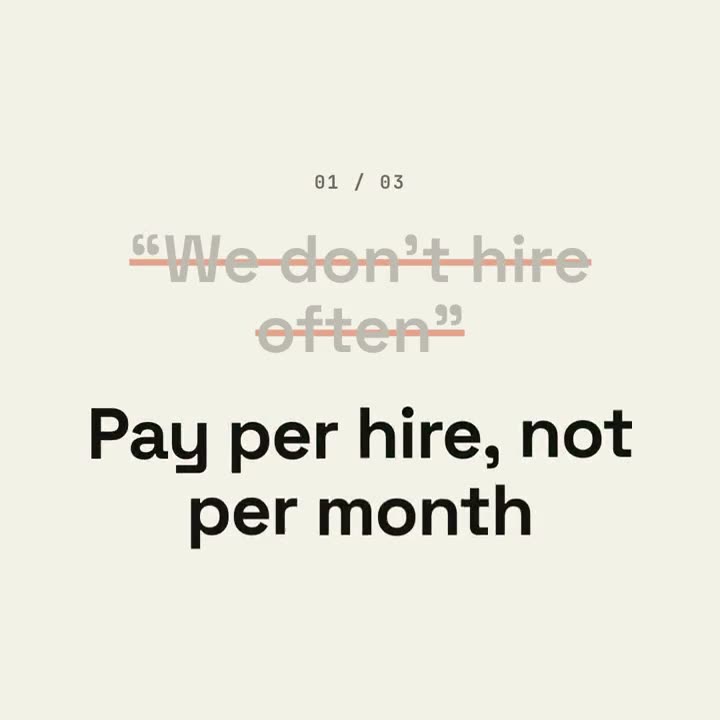
Die echten Zweifel deiner Käufer, im Takt durchgestrichen und mit den Fakten deines Produkts beantwortet.
So funktioniert's
- 1Kopiere den Installations-Prompt und füge ihn in deinen Agenten ein.
- 2Dein Agent prüft mit mo doctor Node.js, FFmpeg und Chrome und sagt dir, wie du Fehlendes installierst.
- 3Gib ihm dein Material. Er rendert ein MP4 auf deinem Rechner, und Änderungen beschreibst du in eigenen Worten.
Füge ihn in Claude Code, Codex, Cursor oder einen anderen Agenten ein, der Skills unterstützt.
Mehr braucht es nicht
Kein API-SchlüsselEins davon reicht
- Eine Website oder App
- Ein Dokument, Artikel oder Skript
Abhängigkeiten
Node.js 22+, FFmpeg, Chrome. Keine API-Schlüssel.
Vor dem Start prüft dein Agent mit mo doctor Node.js, FFmpeg und Chrome und sagt dir, wie du Fehlendes installierst; braucht dieser Skill mehr (etwa whisper für Untertitel), steht das in seiner Anleitung.
Beispiel-Prompt
Make an objection-launch film from the three questions in our FAQ that block sign-ups, answered with our docs and pricing, ending on our sign-up button and URL.
Stil-Prompt (Claude Motion oder Opus 5.5)
Make a 20-second 16:9 typographic launch for [who will watch, e.g. freelancers who haven't signed up], playing [where, e.g. retargeting ads and X]. Use only the objections and answers below; don't soften or change them. Near-black background.

Scene 1: the opening line rises word by word. Scenes 2–4, one per objection: a small counter "01 / 03", the objection in gray quotes gets struck through with an orange line and shrinks, and the bold white answer pops in word by word with a faint orange flash on the background. Scene 5: the closing question slams in word by word. End frame: the product name, an orange call-to-action button and the URL.

Opening line: [e.g. "You've heard it all before."]
Three objections and answers: [e.g. "Too expensive" → "Free until you send 50 invoices"]
Closing question: [e.g. "So, what's stopping you?"]
Product, call to action and URL: [e.g. Ledgerly, "Try Ledgerly free", ledgerly.io]
Nichts zu installieren: Füge ihn in Claude Motion (Team oder Enterprise) ein oder gib ihn Opus 5.5, für einen ähnlichen Look. Das Ergebnis fällt bei jedem Durchlauf anders aus; der Skill arbeitet mit deinem eigenen Material und rendert auf deinem Rechner.