← All skills
Objection Launch
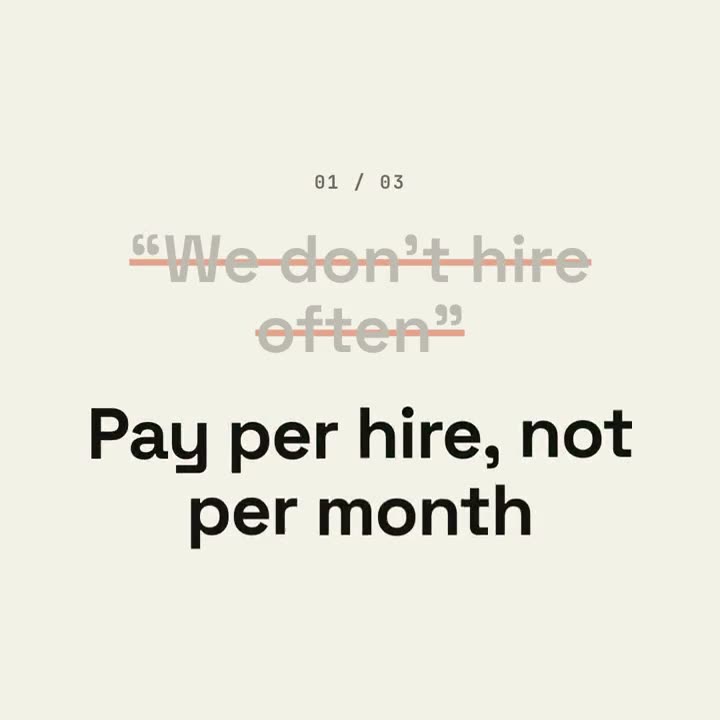
Your buyers' real doubts, struck through on the beat and answered with your product's own facts.
How it works
- 1Copy the install prompt and paste it into your agent.
- 2Your agent runs mo doctor to check Node.js, FFmpeg and Chrome, and tells you how to install anything missing.
- 3Give it your material. It renders an MP4 on your computer, and you ask for changes in plain words.
Paste into Claude Code, Codex, Cursor or any agent that supports skills.
All it takes
No API keyAny one of these is enough
- A website or app
- A document, article or script
Dependencies
Node.js 22+, FFmpeg, Chrome. No API keys.
Before it starts, your agent runs mo doctor to check Node.js, FFmpeg and Chrome and tells you how to install anything missing; if this skill needs more (such as whisper for captions), its instructions say so.
Example prompt
Make an objection-launch film from the three questions in our FAQ that block sign-ups, answered with our docs and pricing, ending on our sign-up button and URL.
Style prompt (Claude Motion or Opus 5.5)
Make a 20-second 16:9 typographic launch for [who will watch, e.g. freelancers who haven't signed up], playing [where, e.g. retargeting ads and X]. Use only the objections and answers below; don't soften or change them. Near-black background.

Scene 1: the opening line rises word by word. Scenes 2–4, one per objection: a small counter "01 / 03", the objection in gray quotes gets struck through with an orange line and shrinks, and the bold white answer pops in word by word with a faint orange flash on the background. Scene 5: the closing question slams in word by word. End frame: the product name, an orange call-to-action button and the URL.

Opening line: [e.g. "You've heard it all before."]
Three objections and answers: [e.g. "Too expensive" → "Free until you send 50 invoices"]
Closing question: [e.g. "So, what's stopping you?"]
Product, call to action and URL: [e.g. Ledgerly, "Try Ledgerly free", ledgerly.io]
Nothing to install: paste this into Claude Motion (Team or Enterprise) or give it to Opus 5.5 for a similar look. The result changes from run to run; the skill works from your own material and renders on your computer.