← 전체 스킬
블루프린트 런칭
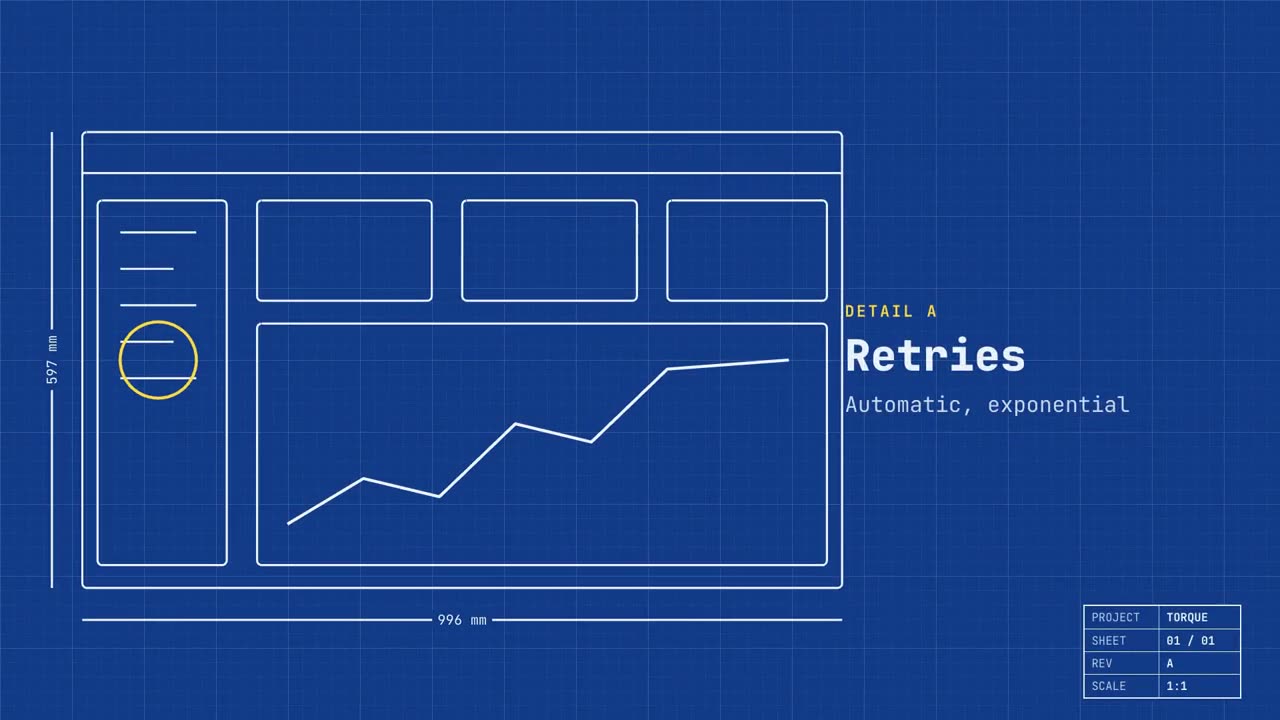
실제 화면이 설계도로 그려지고, 기능이 표시된 뒤, 진짜 화면이 됩니다.
사용 방법
- 1설치 프롬프트를 복사해 에이전트에 붙여 넣으세요.
- 2에이전트가 mo doctor로 Node.js, FFmpeg, Chrome을 확인하고, 없는 것은 설치 방법을 알려 줍니다.
- 3자료를 주면 내 컴퓨터에서 MP4로 렌더링합니다. 고칠 곳은 말로 요청하면 됩니다.
Claude Code, Codex, Cursor 등 스킬을 지원하는 에이전트에 붙여 넣으세요.
시작에 필요한 것
API 키 불필요이것만 있으면 시작할 수 있어요
- 웹사이트나 앱
실행 환경
Node.js 22+, FFmpeg, Chrome. API 키 불필요.
시작하기 전에 에이전트가 mo doctor로 Node.js, FFmpeg, Chrome을 확인하고 없는 것은 설치 방법을 알려 줍니다. 이 스킬에 더 필요한 것(자막용 whisper 등)이 있으면 설명에 적혀 있습니다.
프롬프트 예시
Make a blueprint launch film for our app: trace our home page as a technical drawing, call out three features as details, then fill it in with the real screen and end on our sign-up link.
스타일 프롬프트 (Claude Motion 또는 Opus 5.5)
Make a 20-second 16:9 launch video for [who will watch, e.g. engineers and product teams], playing [where, e.g. Product Hunt and X]. Use only the name, lines and screenshot I give; don't change a word. Deep blueprint-blue background with a fine white grid.

Scene 1: a wireframe of an app window draws itself in thin white lines (header, sidebar, three cards, a chart) with dashed dimension lines labeled in millimeters and a drawing title block in the corner with the project name. Scene 2: the product name scrambles in, monospace, with the tagline in yellow. Scene 3: three yellow rings circle details labeled DETAIL A, B, C with feature names. Scene 4: the wireframe fills in with the screenshot from left to right and a yellow "APPROVED" stamp slams on. End frame: the name, a yellow status tag and the URL.

Product and tagline: [e.g. Orbit, "Engineered for focus."]
Three features: [names]
Status tag and URL: [e.g. "Now in public beta", orbit.app]
Attach: [a screenshot of your product]
설치할 것이 없습니다. Claude Motion(Team 또는 Enterprise)에 붙여 넣거나 Opus 5.5에 주면 비슷한 룩이 나옵니다. 결과는 실행할 때마다 달라집니다. 스킬은 내 자료로 작업하고 내 컴퓨터에서 렌더링합니다.