← 전체 스킬
데이터 영상
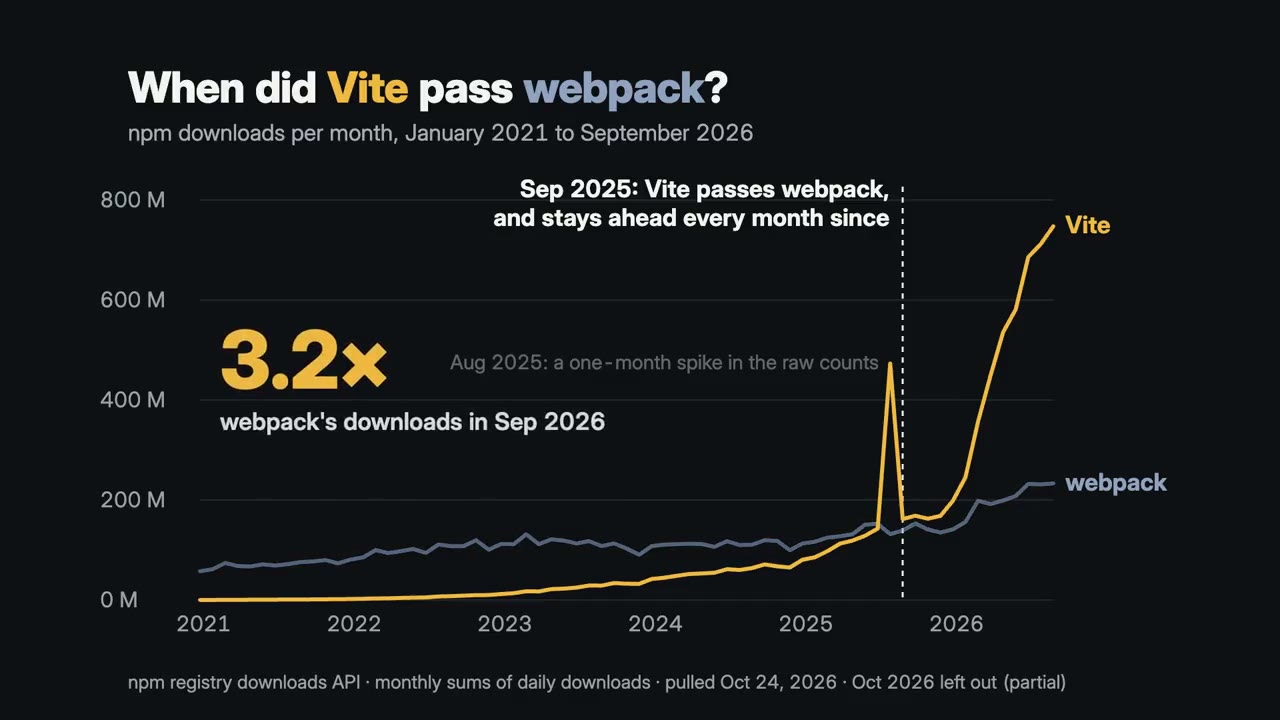
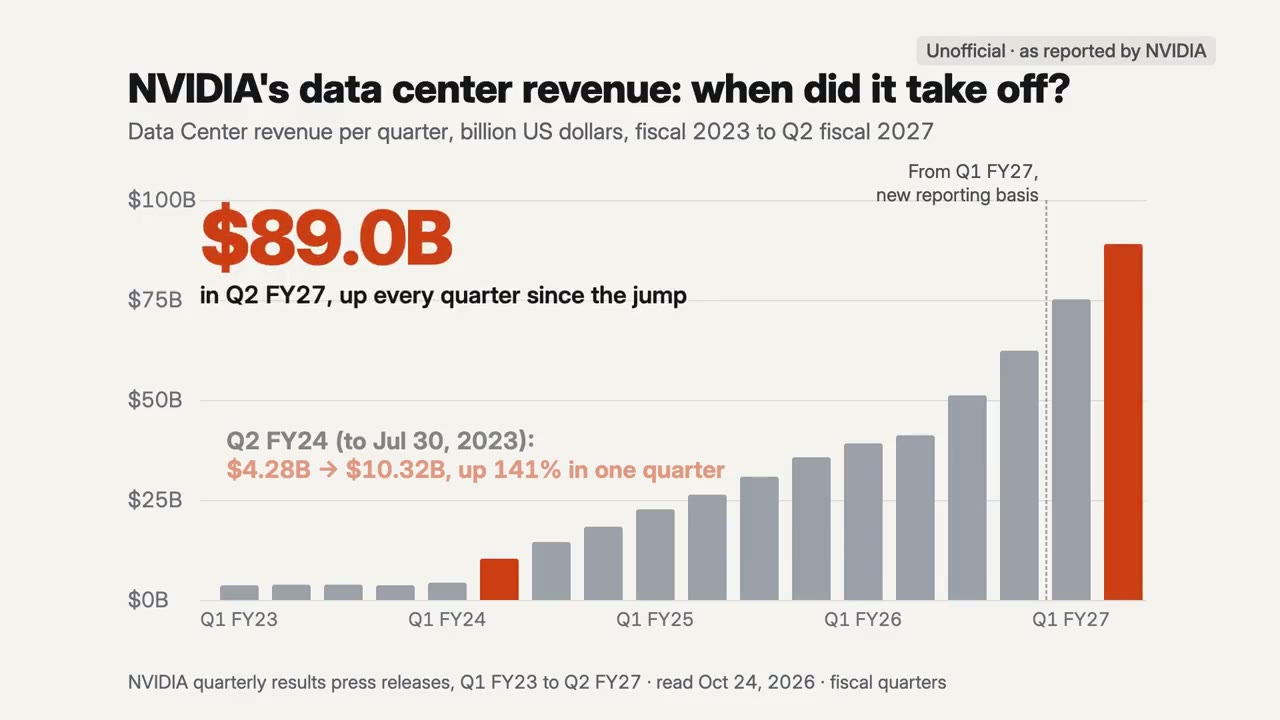
숫자 속 이야기를 찾아 실제 비율로 그립니다. 출처는 화면에, 음악과 함께.
사용 방법
- 1설치 프롬프트를 복사해 에이전트에 붙여 넣으세요.
- 2에이전트가 mo doctor로 Node.js, FFmpeg, Chrome을 확인하고, 없는 것은 설치 방법을 알려 줍니다.
- 3자료를 주면 내 컴퓨터에서 MP4로 렌더링합니다. 고칠 곳은 말로 요청하면 됩니다.
Claude Code, Codex, Cursor 등 스킬을 지원하는 에이전트에 붙여 넣으세요.
이 스킬로 만든 영상
시작에 필요한 것
API 키 불필요이것만 있으면 시작할 수 있어요
- 스프레드시트나 데이터
실행 환경
Node.js 22+, FFmpeg, Chrome. API 키 불필요.
시작하기 전에 에이전트가 mo doctor로 Node.js, FFmpeg, Chrome을 확인하고 없는 것은 설치 방법을 알려 줍니다. 이 스킬에 더 필요한 것(자막용 whisper 등)이 있으면 설명에 적혀 있습니다.
프롬프트 예시
Use the data-director skill to turn this CSV into a 25-second film about the month we passed 10,000 users.
스타일 프롬프트 (Claude Motion 또는 Opus 5.5)
Make a 25-second 16:9 film from the attached data about [the point, e.g for [who will watch, e.g. people who follow our updates]. when our signups passed our waitlist]. Draw the chart on one scale from zero, at a steady rate, label anything unusual in the data where it is, and land the point on the music's lift. Keep the source and the date on screen. Use only the data and source I give below; don't change a word or number. End on the point and the source, held for 3 seconds.

Data: [file or link]
Point: [one sentence]
설치할 것이 없습니다. Claude Motion(Team 또는 Enterprise)에 붙여 넣거나 Opus 5.5에 주면 비슷한 룩이 나옵니다. 결과는 실행할 때마다 달라집니다. 스킬은 내 자료로 작업하고 내 컴퓨터에서 렌더링합니다.